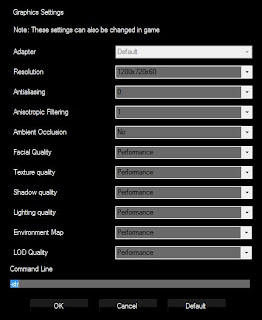
Are you suffering from extremely low frame rates on L.A. Noire: The Complete Edition (PC)? well it seems to be a known issue and there is a fix for it, which may or may not work for you but it certainly did for me. Step 1: Open up the game launcher and select 'Options'. Step 2: In the Command Line type in "-str" with out the "". Step 3: Save and launch the game. This should give you better frame rates, at lease playable rates. as per the game readme file the above procedure enables a single threaded renderer, which may improve performance or compatibility on some systems.
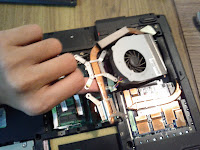
For a few months my once ‘high end’ gaming laptop the Asus G50-x5 has been annoying me with serious lag spikes while gaming, this would occur 8-10mis after starting a game and last for about 4-5mins with frame rates dropping as low as 4-5fps, this made most games unplayable. For a while I thought it’s probably time for it to hang in the gloves and look for an upgrade, until I realized that the games that worked earlier without a hiccup were now unplayable. After some googling and upgrading my display drivers (with no luck) I realized I needed to open it up and clean its innards. Turns out the heat-sink was clogged with dust (practically mud!!), living in Mumbai can have that effect, no matter how clean you keep it and besides this laptop is almost 3 years old now, so a good flush of its guts was much needed. I have opened it up in the past for the occasional cleaning, but never specifically looked for the heat-sink vents, which as I learnt is what matters most. With the vents to the h...


Comments
Post a Comment